
The Vault is Netcatty’s central hub for managing your SSH hosts. It offers multiple view modes, powerful organization features, and fast search to help you efficiently manage dozens or hundreds of servers.Documentation Index
Fetch the complete documentation index at: https://mintlify.com/binaricat/Netcatty/llms.txt
Use this file to discover all available pages before exploring further.
View Modes
Netcatty provides three distinct view modes to match your workflow:- Grid View
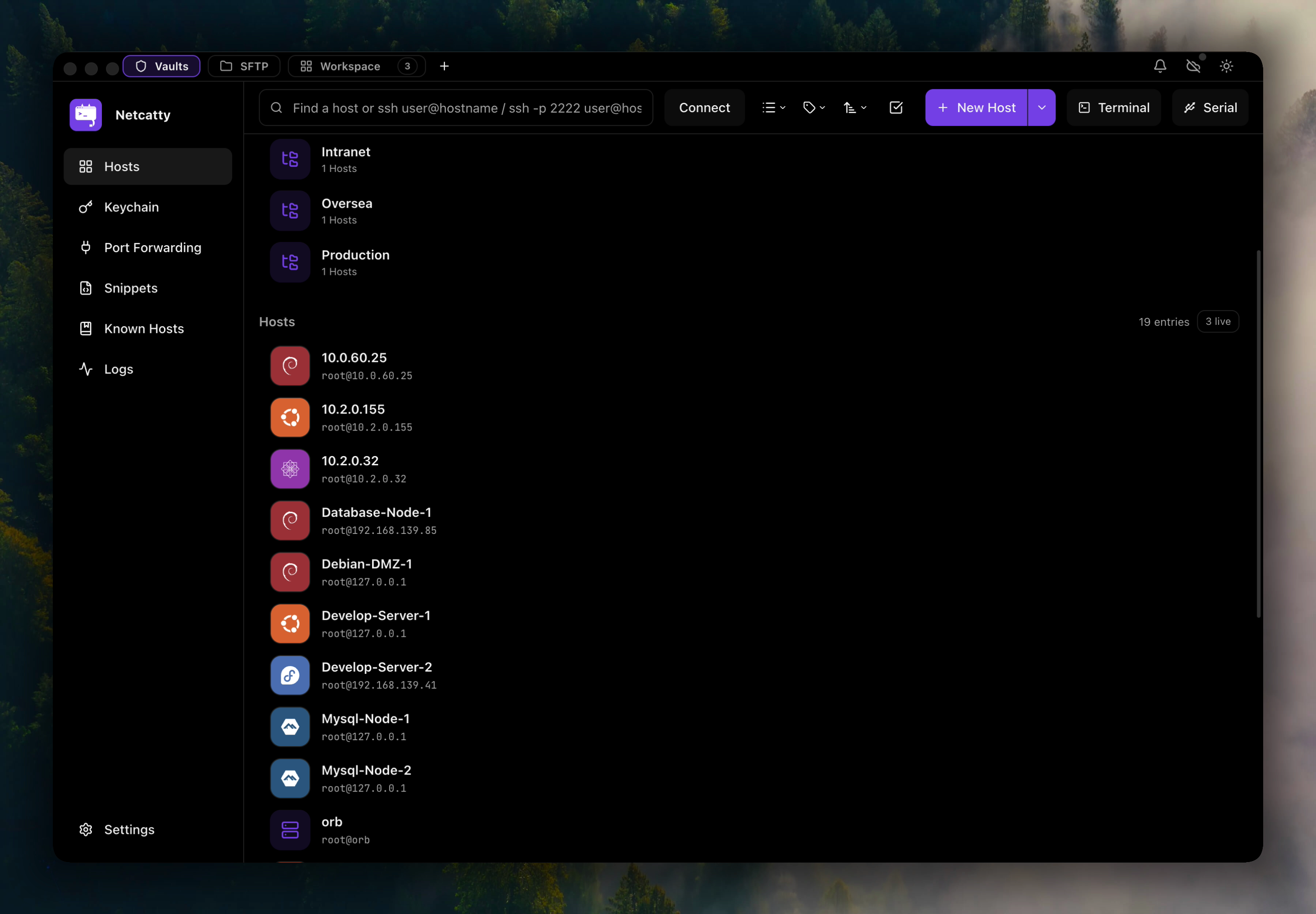
- List View
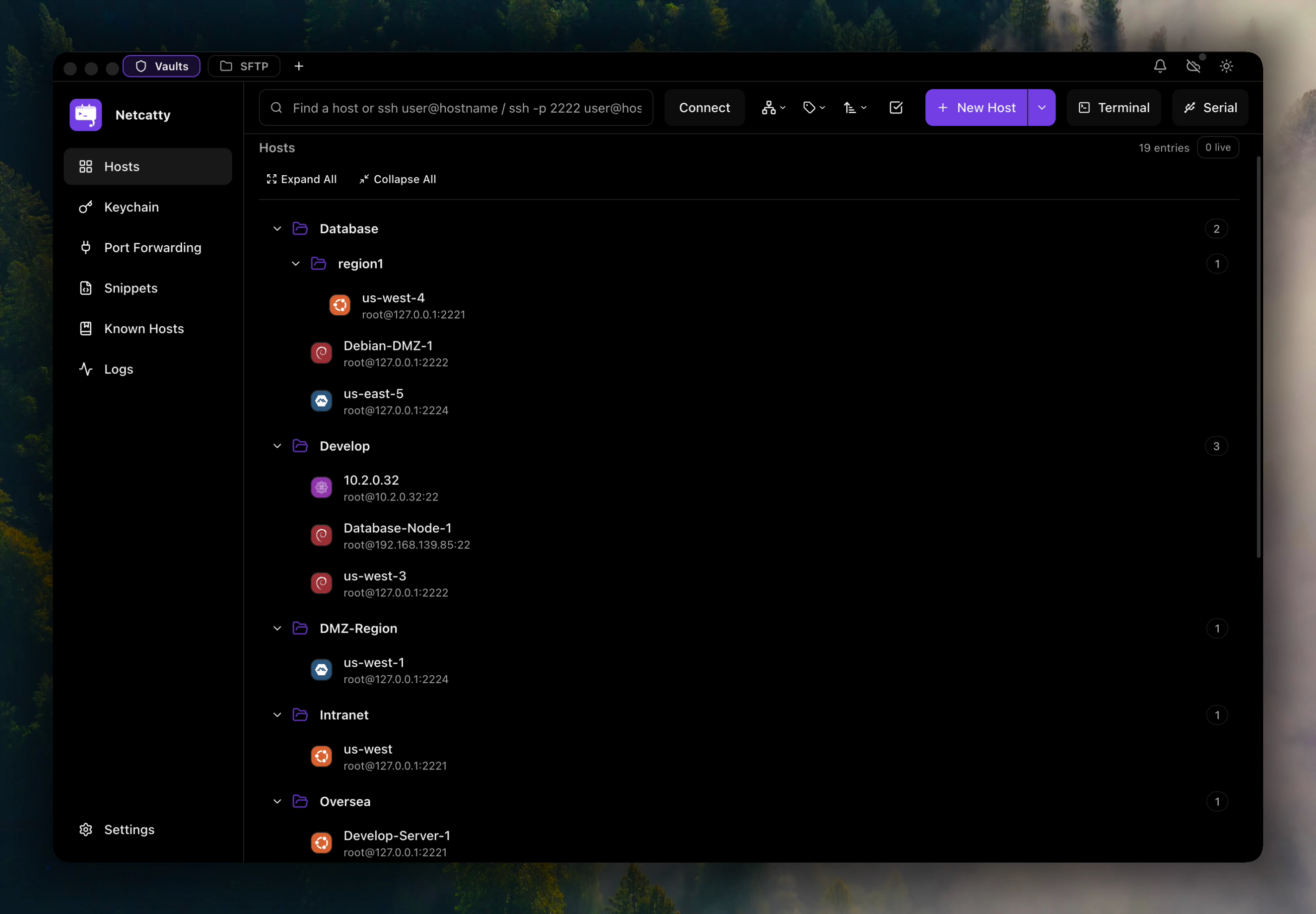
- Tree View
Grid view displays your hosts as visual cards with distro icons, making it easy to quickly identify and access servers at a glance.Best for: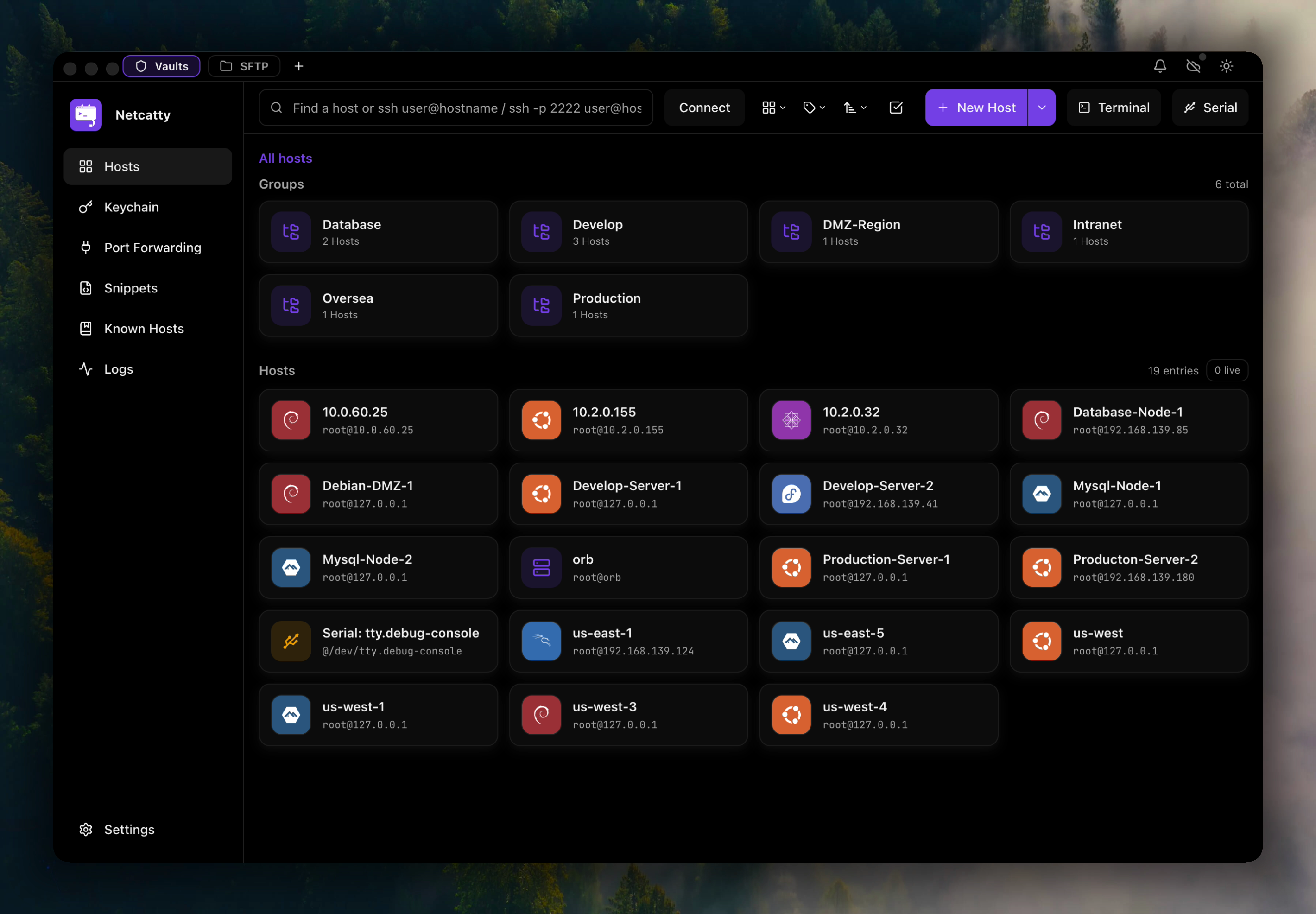 Each card shows:
- Visual browsing of hosts
- Quick identification by OS/distro icons
- Overview of your infrastructure
Each card shows:- Host label and hostname
- Operating system icon (Ubuntu, Debian, CentOS, etc.)
- Group membership
- Quick action buttons
Host Organization
Groups
Organize hosts into groups using thegroup field. Groups support hierarchical organization with / separators:
Production/DatabaseStaging/App Servers/Node 01DevelopmentClients/Acme Corp/Prod
Tags
Use tags for cross-cutting categorization that doesn’t fit hierarchical groups:- Technology stack (
docker,kubernetes,postgres) - Roles (
web,database,cache) - Environments (
production,staging,dev) - Maintenance windows (
reboot-window-1,patching-group-a)
Search and Filtering
The vault includes powerful search capabilities to quickly find hosts:Enter Search Query
Type any part of:
- Host label
- Hostname or IP address
- Username
- Group name
- Tags
Search Syntax
The search supports multiple fields:| Query | Matches |
|---|---|
web | Any host with “web” in label, hostname, or group |
10.0.1 | Any host with IP starting with 10.0.1 |
production | Hosts in production group or with production tag |
ubuntu | Hosts with detected Ubuntu distro or “ubuntu” in name |
Host Actions
Right-click any host in the vault to access quick actions:Connect
Connect
Open a new terminal session to the host in the current workspace.
SFTP
SFTP
Open the SFTP browser to manage files on the remote host.
Edit
Edit
Open the host configuration dialog to modify connection settings, authentication, environment variables, and more.
Duplicate
Duplicate
Create a copy of the host with all settings pre-filled, useful for creating similar hosts quickly.
Delete
Delete
Remove the host from your vault. This only deletes the connection profile, not the actual server.
Distro Detection
Netcatty automatically detects the operating system and distribution of connected hosts by analyzing system files like/etc/os-release. Detected distros are displayed with distinctive icons:
Ubuntu
Detected from Ubuntu systems
Debian
Detected from Debian systems
CentOS/RHEL
Detected from Red Hat-based systems
Fedora
Detected from Fedora systems
Arch Linux
Detected from Arch-based systems
Alpine
Detected from Alpine Linux
Import and Export
Import Hosts
Import hosts from various sources:- SSH Config
- JSON
Import hosts from your
~/.ssh/config file:- Click Import in the vault toolbar
- Select Import from SSH Config
- Choose between:
- One-time import: Copies hosts into Netcatty
- Managed source: Two-way sync with SSH config
Export Hosts
Export your vault for backup or sharing:- Click Export in the vault toolbar
- Choose format:
- JSON: Full host configuration
- SSH Config: Compatible with OpenSSH config format
- Select destination and save
Exported files do not include passwords or SSH key passphrases. These are stored separately in the system keychain for security.
Best Practices
Use Consistent Naming
Adopt a naming convention for labels like
env-role-id (e.g., prod-web-01) to make search and sorting more effective.Leverage Groups
Organize hosts hierarchically by environment, project, or client for easy navigation in tree view.
Add Meaningful Tags
Tag hosts with technology stack, roles, and maintenance windows for flexible filtering.
Regular Backups
Export your vault periodically and store backups securely, or enable Cloud Sync for automatic backups.
Keyboard Shortcuts
| Action | macOS | Windows/Linux |
|---|---|---|
| Quick search | ⌘+K | Ctrl+K |
| New host | ⌘+N | Ctrl+N |
| Refresh vault | ⌘+R | Ctrl+R |
| Focus search | ⌘+F | Ctrl+F |
| Switch view mode | ⌘+1/2/3 | Ctrl+1/2/3 |
Related Topics
Host Configuration
Learn about advanced host configuration options
Authentication
Set up SSH keys and authentication methods
SSH Config Integration
Sync with your existing SSH config file
Cloud Sync
Back up your vault across devices